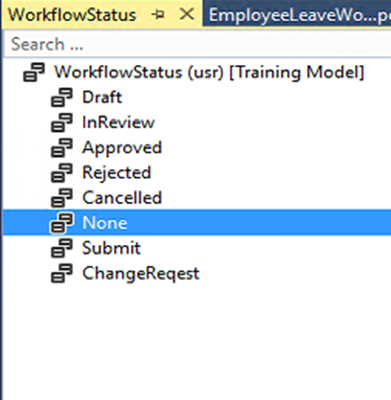
For the creation of Custom Workflow in Dynamics 365 F&O, Kindly follow the following steps; 1. Create a custom Enum WorkflowStatus or you can use an existing one. 2. Create a new table EmployeeLeave as defined below and add the above Enum as a field and name it LeaveStatus . 3. Create a new form EmployeeLeaveForm by using the above table as a data source. 4. Create a new Display Menu Item EmployeeLeaveForm for the above form and add to any Module by creating an extension of the Module Menu from the application Explorer. 5. Create a new Query EmployeeLeaveQuery and add EmployeeLeave as a data source. 6. Create a new Workflow Category EmployeeLeaveCategory . 7. Create a new workflow type EmployeeLeaveWorkflowType . • Category: Select the workflow category from the previous step • Query: Select the query created for the document table • Document menu item: Sel...
To convert table rows to JSON in X++ , you can use the JSON serialization capabilities provided by X++'s built-in classes. Here's an example demonstrating how to achieve this: Assuming you have a table named MyTable with fields Field1, Field2, and Field3, and you want to convert its rows to a JSON array: static void ConvertTableRowsToJson(Args _args) { MyTable myTable; str jsonString; int i; // Create an empty array to store JSON objects Array jsonArray = []; // Retrieve data from the table while select * from myTable { // Create a JSON object for each row JsonObject jsonObject = new JsonObject(); jsonObject.addField("Field1", myTable.Field1); jsonObject.addField("Field2", ...
To convert a sales quotation to a sales order in X++ , you typically create a new sales order header and lines based on the information from the existing sales quotation. Here's an example X++ code snippet: static void ConvertQuotationToSalesOrder(Args _args) { SalesQuotationTable salesQuotationTable; SalesQuotationLine salesQuotationLine; SalesTable salesTable; SalesLine salesLine; ttsBegin; // Replace 'YourQuotationId' with the actual quotation ID salesQuotationTable = SalesQuotationTable::find('YourQuotationId'); if (salesQuotationTable) { // Create a new sales order header salesTable.clear(); salesTable.initValue(); salesTable.CustAccount = salesQuotationTable.CustAccount; salesTable.CurrencyCo...
Comments